How it works
Transparent Scan2BIM prices
In this article, we show how Points2BIM generates a project-specific offer price from just a few project parameters – fully automatic, transparent, and without subsequent price changes. Ideal if you need clarity about costs and scope of services before starting a BIM project.
Dec 17, 2025
In this article you will learn:
which project parameters really influence the price
how the base model and optional upgrades affect the offer price
why you will receive a fixed price immediately with Points2BIM
how the offer process differs significantly from traditional Scan2BIM offers
The article is aimed at anyone looking to make a well-informed cost decision for a project-specific BIM model – without bidding rounds and without lack of transparency.
This is how your project-specific fixed price is created at Points2BIM
The pricing in the Scan2BIM environment is still difficult for many clients to understand today: individual offers, long coordination loops, and prices that are only fixed after days or weeks.
Especially with changing object sizes and very different modeling requirements, this leads to uncertainty – and hinders projects.
At Points2BIM, we follow a different approach:
A fully automated quoting process with immediate fixed pricing, based on the actual project parameters.
In this article, we explain step by step how your offer is created – transparently, reproducibly, and without sales coordination.
1. Starting Point: Customer Account & Project Start
The quoting process begins with the creation of a customer account.
After logging in, you select "Create New Project" and thereby initiate a clearly structured project wizard.
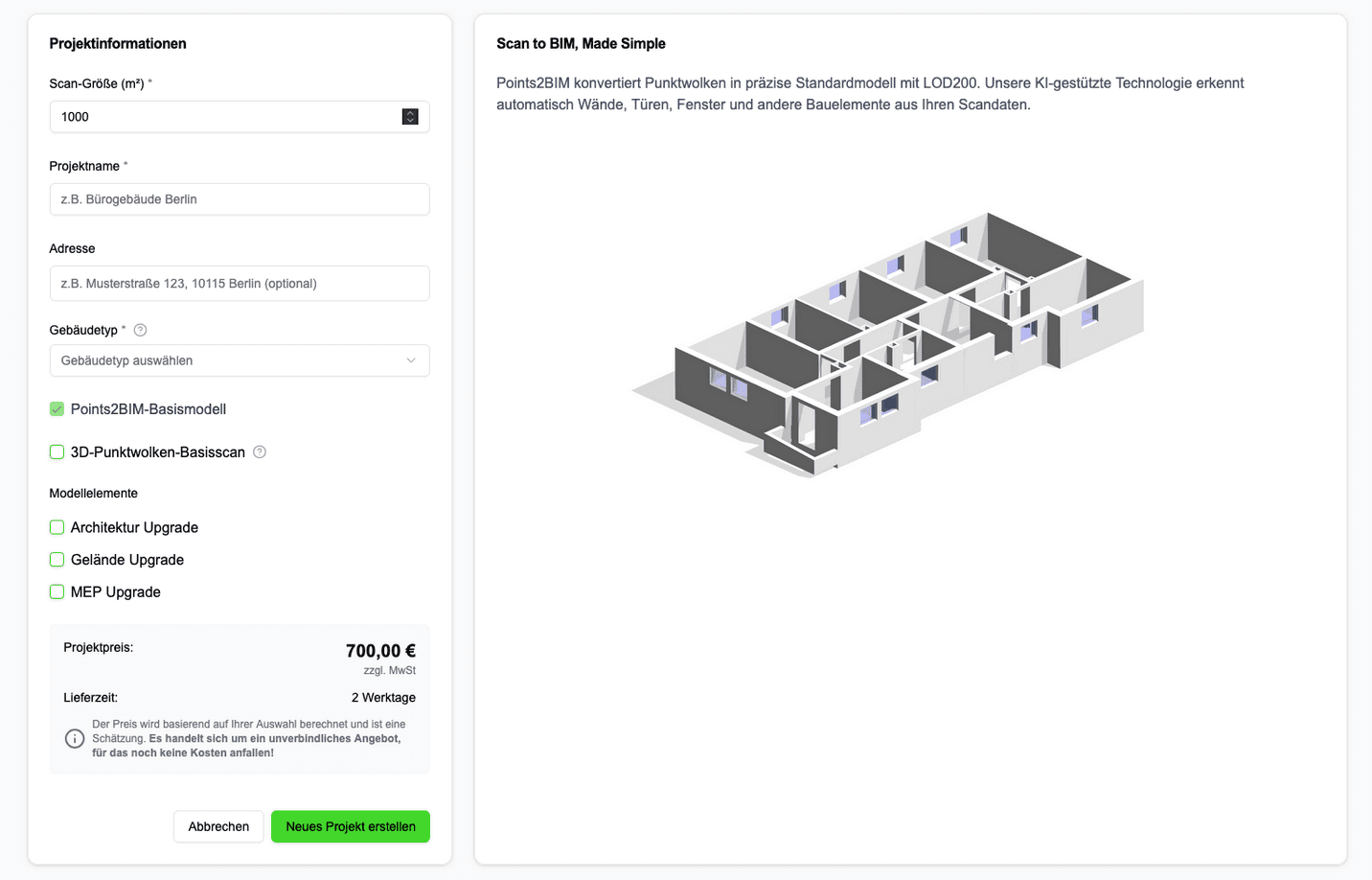
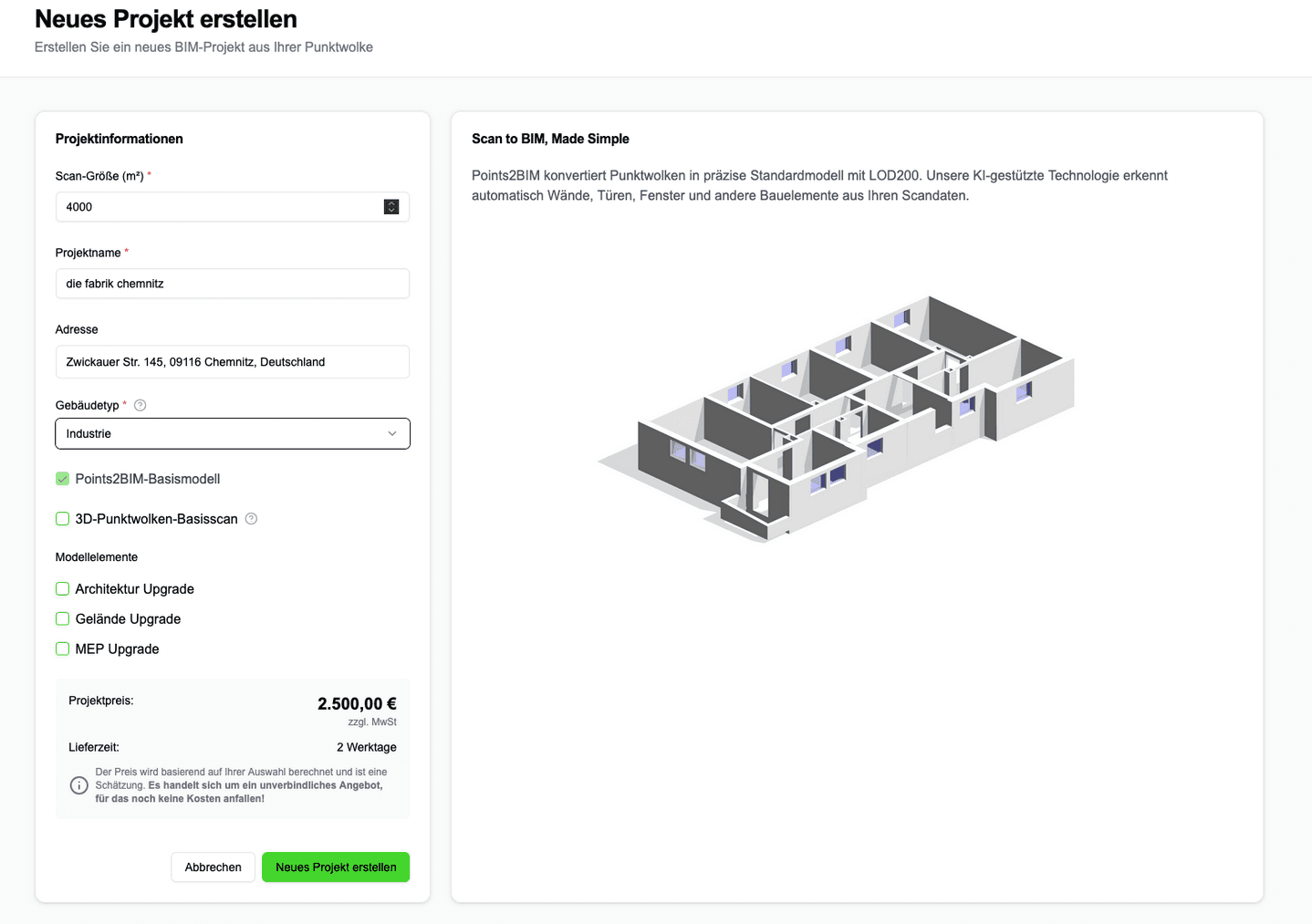
This wizard is intentionally designed to only request price-relevant information – no more and no less.
2. Central Price Basis: Scan Size in Square Meters
The most important parameter for price calculation is the scan size in square meters.
It is important to note:
Specification of the gross floor area of all floors
Basis for calculation effort, modeling scope, and delivery time
immediate recalculation of the price upon adjustment
Example:
1,000 m² → significantly lower modeling effort
4,000 m² → higher calculation and verification effort, accordingly higher price
This parameter ensures that both small and large projects are fairly and proportionally priced.
3. Project Classification: Building Type as a Complexity Factor
In the next step, you select the building type, for example:
Residential building
Office building
Industrial building
Hall
Monument / historical building
Other special constructions
The building type influences the pricing logic, as:
Geometry
Degrees of repetition
typical variety of components
can vary greatly depending on the use.
An industrial building is assessed differently than a residential building or a listed object.
4. Optional: Order Point Cloud Directly via Points2BIM
If no point cloud is currently available, it can be added directly.
Available options include:
Facility management point cloud
Point cloud for renovation or remodeling planning
In this case, Points2BIM takes care of:
Coordination of certified scan partners
Quality assurance of the scan data
seamless transfer into the BIM process
The price will also be immediately integrated into the overall offer.
5. The Basic Model: Clearly Defined, Always Included
Every project is based on the Points2BIM basic model (LOD 200).
This includes as standard:
Walls
Ceilings
Windows and doors (openings)
Rooms
Floors / levels
a simple roof
This basic model forms the basis for many application cases – from documentation of existing conditions to preliminary planning – and is always part of the offer.
6. Architectural Upgrades: Only Pay for What Is Really Needed
If you require a higher level of detail, you can selectively add architectural upgrades, such as:
Stairs and ramps
Balconies (optional with railings)
Railings for stairs and balconies
Roof details (e.g., dormers)
Shafts and penetrations
Complete roof constructions
Windows with frames & opening directions
Doors with frames & opening directions
Wall materials
Room designations & usage types
Vaulted ceilings
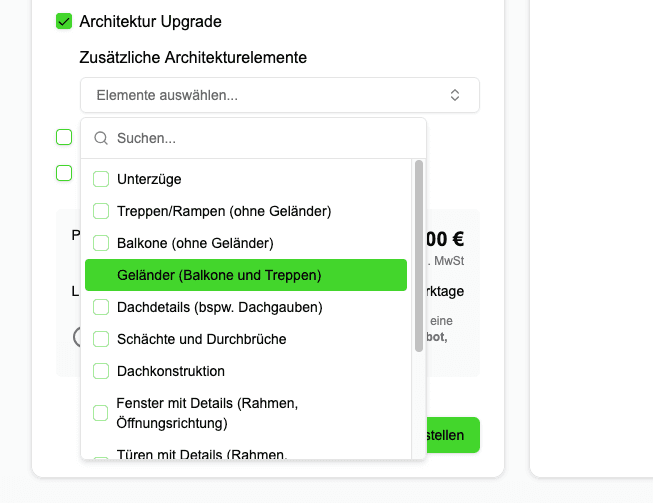
Each selection has a direct and understandable impact on the price.
7. Site Upgrades: Context Instead of Just Buildings
If site information is relevant, additional site upgrades can be activated, such as:
Site topography
Layer structures
Here too, the rule applies:
Only select what is truly necessary for your project.
8. MEP Upgrades: Building Technology Can Be Added Optionally
For projects with a higher technical requirement, MEP upgrades are available, such as:
Sanitary, water, and wastewater systems
Heaters, air conditioning, and ventilation ducts
Electrotechnics (cable trays, switches, sockets)
Roof structures
Thus, the workflow is suitable for both architecture-focused and building services-oriented projects.
9. The Result: Immediate Fixed Price & Delivery Time
At the end of the wizard, you will see:
the final offer price
a realistic delivery time
no price ranges
no surprises later on
The displayed price is the price we commit to.
10. Project Start: Upload & Review
After clicking "Create New Project":
you upload your point cloud
we review the data
upon positive review, the model generation begins
the basic model is generated and then supplemented with the booked upgrades
Conclusion: Why This Approach Is Different
The Points2BIM workflow replaces:
manual offer calculation
opaque lump sums
long coordination loops
with:
project-specific pricing logic
immediate fixed prices
full control for the customer
Particularly for clients with changing object sizes and varying modeling needs, this creates planning certainty – before the first upload.